
by IT Nation | Jan 24, 2020 | Cybersecurity, IT Security
More now than ever, we are living in a digital age. We shop online, work remotely, and even date from our smartphones! But what about computer repairs and maintenance? While remote IT is a rising industry, lots of people are unsure about how managed IT services work, and whether it’s really a better option than having a full time IT staff in house.Â
What is Remote Computer Repair?
Remote IT service (sometimes called remote repair/maintenance or remote assistance) is a service that doesn’t require you to do anything besides make a simple call or open a support ticket. During a repair or support session, a technician will access your computer wirelessly using a secure application and troubleshoots the issue or upgrades software and operating systems.
What are the Benefits of Remote Support?
All you need is an internet connection! Here are a few of the other notable benefits of remote support:
1. Quick Fixes
Remote assistance is not only convenient, it’s also fast. Remote support allows you to access the help you need, right now.
This is particularly the case when you work with a company like IT Nation that offers website-based remote support services.
2. Support for Various Platforms
Managed IT experts provide multi-platform flexibility and can service Mac, Linux, and Windows systems, among others. This means no troublesome waiting or confusion while you try to find the right professional for the job.
3. Security
While allowing someone to access your computer remotely might sound a little scary, computer techs understand your concerns. As such, most computer repair places that offer remote support services give you a choice between allowing full or limited access. In most cases, users can also end the support session at any time, and without the approval of the support tech.
4. Cost-Savings
Contrary to what many people believe, Managed IT can actually be less expensive than local service or hiring a full time IT technician in your office! Because remote support allows repair techs to skip the trip to your home or office, you can generally expect a lower bill from a remote session than you would a hands-on repair or even a flat monthly fee for maintenance and support!
While remote computer support is a fantastic option, it’s not right for every situation, and knowing when to use it and when to opt for local service is essential to the health and well-being of your computer.
by IT Nation | Jan 6, 2020 | Cloud Apps, Cybersecurity, Email
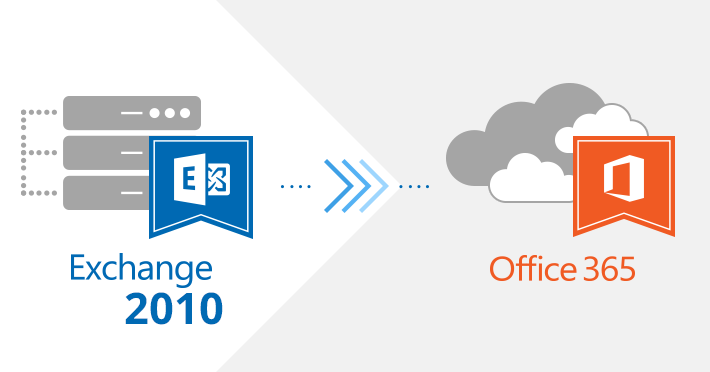
You’ve probably heard plenty about Microsoft Office 365. You might even be familiar with some of its tools and features. But if you aren’t already using the cloud-based solution, chances are that you’re not aware of the difference Office 365 can make for your employees and their productivity.
In our experience, the primary inhibitor to businesses adopting Office 365 is lack of resources: IT personnel are busy with other tasks, and migrating data to the cloud can be difficult without in-house expertise. But with IT Nation, you can unlock the potential of Office 365, which is so much more than just Microsoft Office in the cloud. The list of benefits is long, but we’ve narrowed them down to these six main reasons to migrate and grow your business:
1. Simplified Administration
Dealing with software licenses can be a headache. But Office 365 includes all licensing and it can be deployed company wide, ensuring that all employees have the same version of Microsoft apps and automatic updates at the same time. Employees also can log on from any device at home or in the office. Since each user can install Office 365 on up to five devices, a mobile BYOD (bring your own device) policy is much easier to manage. In addition, data backup, security and recovery are managed by Microsoft.
2. Mobile Access
With Office 365, your calendar and all of your contacts and emails are automatically synchronized with your mobile devices, allowing you to access and edit files in Word, Excel, PowerPoint, Outlook and OneNote from anywhere, anytime. All you need to do is add your work account to the Microsoft Office app and you can easily edit the files you have saved in OneDrive for Business.
3. Lowers Business Costs
With Office 365, you don’t have to worry about servers (or the related energy costs and office space to store them) or rely on a heavy in-house IT department. We can act as an extension of your IT team to handle all on-boarding and ongoing support so you don’t have to. In addition, you can swap out DropBox for Microsoft OneDrive and use Skype for Business in the place of GoToMeeting to save money.
4. Powerful Collaboration Tools
Office 365 enables your employees to communicate via instant messaging and work collaboratively on documents and files in SharePoint. You can set your own document management and sharing criteria, allowing you to quickly share files and build intranets, extranets and project-oriented collaboration sites. Microsoft Office 365 also offers a video delivery solution with built-in encoding and management tools to streamline the process of uploading video and building video portals. And video is stored and streamed from Microsoft Azure using Microsoft’s global network.
5. Scalability and Flexibility
Office 365 grows with your organization, allowing you to add or remove users by simply adding or removing licenses. You’re not locked into a contract, you’re only committed to your service package for a month at a time with a flexible monthly subscription model. Office 365 also allows you to mix-and-match apps to customize solutions for different users or departments.
6. Robust Security and Compliance
With Office 365, Microsoft systems scan your messages and documents for spam and malicious software, and Microsoft data centers help safeguard your data. Essentially, you get built-in security and it’s easy to remotely wipe all data if you lose a mobile device. Additionally, multiple add-ons let you tailor Office 365 to specific industry regulations and data compliance requirements. For example, security and encryption settings can be customized to comply with HIPAA, FISMA, ISO 27001, and more.
The bottom line is that, in today’s competitive business environment, your business can’t afford not to use Office 365.

Recent Comments