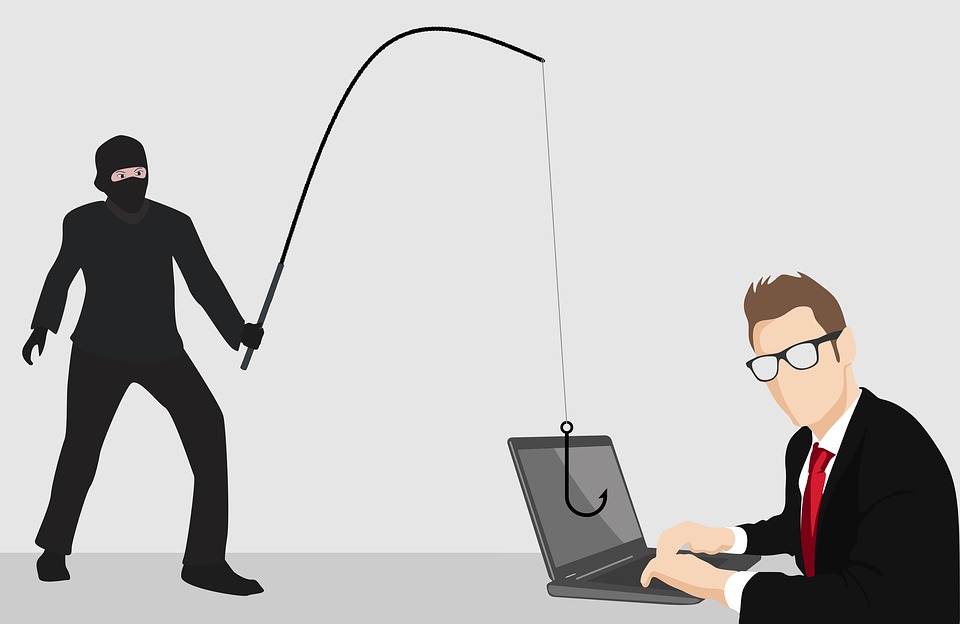
Ransomware: What it is and how to avoid this virtual kidnapping tactic.

Ransomware: What it is and how to avoid this virtual kidnapping tactic.

So what is Ransomware actually? You may have heard about it on the news, the radio, from a colleague or there may even be a Ransomware infection warning on your screen right now.

What is Ransomware?

Ransom Malware, or “ransomware” is a type of computer virus that blocks you from accessing your computer system or personal files and demands payment in order to regain access. The earliest ransomware was developed in the 1980s, and payment was often sent through the regular mail. Today, ransomware developers demand that payment be sent through cryptocurrency, gift card, or credit card.

How did I Get Ransomware?

There are many  ways that ransomware can gain access to your computer or files. One of the most common methods today is through malicious spam, which is unsolicited email that is used to deliver malware. The email might include booby-trapped attachments, such as PDFs or Word documents. It might also contain links to malicious websites.

These methods leverage social engineering in order to trick people into opening attachments or clicking on links by appearing as legitimate- whether that’s by seeming to be from a trusted company or a friend. Cyber criminals use social engineering in other types of ransomware attacks too, such as posing as the FBI or IRS in order to scare users into paying them a sum of money to unlock their files.

Another popular infection method is malvertising. Malvertising, or malicious advertising, is the use of internet ads to distribute malware with little user interaction required. While browsing the web, even on legitimate sites, users can be redirected to criminal servers without ever clicking on an ad. These servers use cookies to catalog details about victim computers and their locations, and then select the malware best suited to deliver. Often, that malware is ransomware.

Types of Ransomware

There are three main types of ransomware, ranging in severity from mildly off-putting to extremely dangerous. They are as follows:

Scareware

Scareware, as it turns out, is not that scary. It includes rogue security software and tech support scams. You might receive a pop-up message claiming that malware was discovered and the only way to get rid of it is to pay up. If you do nothing, you’ll likely continue to be bombarded with pop-ups, but your files are essentially safe.

A legitimate cyber security software program would not solicit customers in this way. If you don’t already have this company’s software on your computer, then they would not be monitoring you for ransomware infection. If you do have security software, you wouldn’t need to pay to have the infection removed, you’e already paid for the software to do that very job.

Screen Lockers

When lock-screen ransomware gets on your computer, it means you’re frozen out of your PC entirely. Upon starting up your computer, a full-size window will appear, often accompanied by an official-looking FBI or US Department of Justice seal saying illegal activity has been detected on your computer and you must pay a fine. However, the FBI would not freeze you out of your computer or demand payment for illegal activity. If they suspected you of piracy, child pornography, or other cyber crimes, they would go through the appropriate legal channels.

Encrypting Ransomware

This is the truly worst ransomware. This ransomware can thoroughly encrypt your systems and files, while the criminals behind the attack demand payment in order to decrypt them. This type of ransomware is so dangerous is because once cyber criminals get a hold of your files, no security software or system restore can return them to you. Unless you pay the ransom, they’re gone. And even if you do pay up, there’s no guarantee the cyber criminals will give you your files back.

Who do ransomware authors target?

When ransomware was introduced (and then re-introduced), its initial victims were just computer users. Then cyber criminals began to realize ransomware’s full potential when they started targeting businesses. Ransomware was so successful against businesses, halting productivity and resulting in lost data and revenue, that its authors turned most of their attacks toward them. By 2017, 35 percent of small and medium-sized businesses had experienced a ransomware attack.

What to do if I’m infected

The number one rule if you find yourself infected with ransomware is to never pay the ransom. (This is now the recommended advice endorsed by the FBI). All paying attackers does is encourage them to launch attacks against either you or someone else. However, you may be able to retrieve some encrypted files by using free decryptors.

To be clear: not all ransomware programs have had decryptors created for them. In many cases, the ransomware is utilizing advanced and sophisticated encryption algorithms. Even if there is a decryptor, it’s not always clear if it’s for the right malware. You don’t want to make things worse by using the wrong decryption script. Therefore, you’ll need to pay close attention to the ransom message itself, or perhaps ask the advice of an IT specialist before trying anything.

How do I protect myself from ransomware?

Experts agree that the best way to protect yourself from ransomware is to prevent it from happening at all.

While there are few methods to deal with a ransomware attack, the solutions aren’t perfect, and often require much more technical skills than the average computer user is used to. 

Here’s how IT Nation, Inc. recommends avoiding ransomware attacks:

The first step in ransomware prevention is to invest in comprehensive cybersecurity program with real-time protection that’s designed to prevent advanced malware attacks such as ransomware. You should also look out for features that will both shield vulnerable programs from threats (an anti-exploit technology) as well as block ransomware from holding files hostage (an anti-ransomware component). Customers who were using the premium version of Malwarebytes for Windows, for example, were protected from all of the major ransomware attacks of 2017.

Next, as much as it may pain you, you need to create secure backups of your data on a regular basis. Our recommendation is to use cloud storage that includes high-level encryption and multiple-factor authentication. However, you can purchase USBs or an external hard drive where you can save new or updated files, just be sure to physically disconnect the devices from your computer after backing up, otherwise they can become infected with ransomware, too.

Then, be sure your systems and software are updated. The WannaCry ransomware outbreak took advantage of a vulnerability in Microsoft software. While the company had released a patch for the security loophole back in March 2017, many users didn’t install the update, which left them open to attack. We get that itis hard to stay on top of an ever-growing list of updates from an ever-growing list of software and applications used in your daily life. That’s why we recommend changing your settings to enable automatic updating.

Finally, stay informed. One of the most common ways that computers are infected with ransomware is through social engineering. Educate yourself (and your employees if you’re a business owner) on how to detect malspam, suspicious websites, and other scams. And above all else, exercise common sense. If it seems scammy, it probably is.

Fresh Baked Tracking — Everything you need to know about cookies and tracking across the web.

Fresh Baked Tracking — Everything you need to know about cookies and tracking across the web.

What are cookies and trackers? What are the differences between first-party tracking and third-party tracking? What can you do to protect your data online? Keep reading to find out.


What’s a cookie?

You can’t see them but, a cookie is a small file sent to your browser by the websites you visit. Cookies can hold many different pieces of information including website preferences, language settings, login information, and more. Think of cookies as warehouses- they store information in your browser to be read again at a later time.


What’s a tracking pixel?

A tracking pixel ( a tracker) or tag is a small piece of code on a website. Trackers load when a user visits a website and they collect and relay information about the user’s current browsing situation (device type, location, IP address, etc.) to the tracker operator.


Where do tracking cookies come from?

Websites today use resources from other sites to build and add features to their pages. These features are often useful and even essential for a website to keep users coming back. Unfortunately, those same resources used to add features can be the biggest perpetrators of online tracking. Some of the most common resources that use tracking cookies include:

  • Ads
  • Social media widgets (Like and Share buttons, comments sections, etc)
  • Web analytics

You don’t even need to click on an ad or social media sharing button for a cookie’s information about you to be transmitted back to the server where it originated. As soon as you load the page, the cookie is sent to the server. If no cookie exists yet, the server can create one.

Let’s say I do a google search for a gift I want to buy someone, and click the first result. The website can create a cookie or send and existing one to its server. Then, I start seeing ads on social media for the item I was initially researching. Even though I’m not on the website that sells the item, I’m loading a resource from it. Similarly, most ads and widgets aren’t hosted by the websites they reside on. They are just resources pulled from third-parties, and they all use cookies.


First-Party Tracking

First-party cookies and trackers are created by the website you’re visiting. Their purpose is to improve your browsing experience by doing things like remembering what items are in your shopping cart and saving your login credentials to prevent you from typing it every time you come back. For the most part, these are beneficial and even convenient cookies and trackers that help both the user and the website.


Third-Party Tracking

Third-party cookies and trackers are created and maintained by a third-party company, not the website you are visiting. Instead of tracking you on one website, they track you while you browse across multiple websites by creating a unique browser fingerprint. These third-party tracking scripts collect information about you and your online habits, as well as piecing together details about what you are researching, buying, or visiting on the web. They also collect data like which browser you are using, where you are located, and what times you are likely to be online.

All of this personal information is used to create a profile of you. Other companies then use these profiles to serve you with targeted advertising on items or services you are likely to purchase. Additionally, these profiles are sold to other organizations, who then can monetarily benefit from your data points like your location, age, and other demographics.


How to Stop Tracking Cookies

The first step to preventing tracking cookies from monitoring you is to delete the ones you already have. You can quickly and easily clear you cookies in your browser settings.

Your browser doesn’t distinguish between persistent cookies that perform useful tasks like keeping you logged into a website from those that invade your privacy and track you around the web. When you clear cookies in your browser, all of them are deleted.

Do Not Track

Somewhere in your browser settings you’ll find an option to toggle on Do Not Track. Turning this on will send a request for the website you’re currently on to disable its cross-site user tracking of individual users. 

To learn how to adjust your settings in chrome from your web browser, Android, Apple devices, visit this link.

If you are using Mozilla Firefox, visit this link to learn how to disable tracking in your web browser or mobile devices.

While most sites honor your choice to opt out with the Do Not Track setting, many will not. Do Not Track does not add any technical limitations to the website and there’s no enforcement from any authority. That means there’s no real consequences for websites that ignore your opt-out request and use tracking cookies anyway.

You should definitely enable Do Not Track in your browser, but that’s not enough if you want to truly stop tracking cookies from profiling you.

Staying up to date on where all your browser cookies come from and whether they track you would be a very tedious task. Instead, you can install an anti-tracking extension in your browser to block tracking cookies for you. You can go to the App Store for whichever browser you are using, and choose the highest rated one with the best reviews.

All of these apps not only make the web more private, they also speed up load times by blocking third-party elements like ads so that you can browse (and shop) in peace.

5 Common Online Scams (And How You Can Avoid Them).

5 Common Online Scams (And How You Can Avoid Them).

Phishing for Victims– Hook, Line, and Sinker


You hear of it happening all the time, but never think it will happen to you. Phishing attacks come in all shapes and sizes, so to speak. The most common Phishing attack comes in the form of a seemingly legitimate email (or text message) from what looks to be your bank, PayPal, your email provider, Apple, or another company you may have an account with.

In the case of a financial institution or PayPal Phishing attack, the scammers will try to manipulate you by creating a sense of urgency using a threat: “Your account is at risk,” or “We are shutting down your account.” They will then provide a link (which can look very legitimate) tricking you into thinking you are logging in to your account. What you are actually doing is giving the scammer your username and login on a fake website.

Legitimate-looking emails can also come from scammers impersonating Apple, Microsoft, Amazon, or other well-known companies that you may have an account with. The end goal, however, is very much the same: get your log in information. This can be especially dangerous if you have payment information stored on your account to pay for services or subscriptions.

The only way to know for sure that you aren’t handing your information over to a hacker is to contact the person company directly using the contact information from their website or the back of your credit card (not from the email or the fake website from the link).


The Notorious Nigerian Prince Strikes Again


He’s back, only this time he brought friends. This scam, or some form of it, has been circling the web for decades now. It goes something like this: A wealthy foreign monarch, prince, or dignitary has a large sum of money to gift to you! Sounds amazing, right? Well that’s because it’s too good to be true. Typically, these types of online scams will follow a format. Once they have your interest, they explain that there are fees for wire transfers, currency exchanges, or some other variable. They will then ask for your bank account information and initiate a wire transfer– except the money is going out of your account, not in to it! The scammer then will manufacturer delays, incurring more fees from you or disappear altogether.

Another tell from this email scam is the greeting. Typically, but not always, the greeting is generic such as “Hello Friend” or “Attention Sir/Madam” because they are sending this email to thousands of email addresses at once, and waiting for someone to take the bait. Sometimes, the scammer will also use psychological pressure by leading their victim to believe they have sold their possessions or have a sick relative and can’t pay the fees themselves.

The safest protection from a scam like this is to ignore and delete the email, or better yet, not open it at all. Mark is as spam in your email program and never click any links from senders you don’t recognize.


Fake Computer Viruses that Cause Real Problems


Computer pop-ups can be annoying, even if they aren’t malicious. But what happens if they are? Scammers have started using computer pop-ups as a means to get your information or even control over your computer. They call it “Scareware.”

The Scareware scam leverages social engineering and fear tactics in order to get victims. Unscrupulous individuals have developed fake pop-up warnings that claim your computer is infected with a virus or other malware. These Pop-ups are made to look like a virus scan alert from trusted companies such as Microsoft, Apple, Norton, McAfee or others.

The fake pop-up warning will usually include a phone number for you to call that leads to a professional scammer on the other end walking you through steps to “troubleshoot” your computer. They may even ask for security codes that you have received via text message or email. Ultimately, they want you to give them access to your computer remotely so they can install malware, spyware, key-loggers, or other viruses. They may also trick you into purchasing anti-virus software that you don’t need with high-pressure sales tactics.

If you get a Scareware pop-up, the first thing to do is close out of it. Use Ctrl+Alt+Delete (Cmd+Option+Esc on a Mac) to open task manager and end the program. Make sure your legitimate virus protection software is up to date. NEVER rely on the contact details provided in a pop-up message. Instead, find your anti-virus vendor’s contact details from their real website and give them a call.


Work from Home, Get Poor Quick

As scams get more sophisticated, they also know who to prey on. Any individual who is seeking employment may be tempted by online offers to work remotely or work from home. Email messages and job postings can contain socially engineered phrases, designed to manipulate users who could really use the money.

While there are legitimate opportunities our there that allow employees to work from the comfort of their own home, make sure you do your research. Any job that asks you to spend money to get hired is typically a scam. They will encourage you by promising earning potential that sounds too good to be true and once they have you on the hook, they will bring up fees for alleged training materials, a placement fee, or a non-existent certification.

Another variation of this scam involves accepting payment upfront for a salary or bonus. What scammers may do is send you an over-payment and ask you to send the rest back or forward some money from the over-payment to a 3rd party company or individual. After the money has left your account, their check or payment (which takes several days to process) is returned. Not only are you out the amount you sent to the third-party, your bank will most likely charge you returned-payment fees.

Never give out your social security number, credit card, or banking details to a potential employer or agency over the internet. Meet with prospective employers in person if at all possible, and ALWAYS do your research to make sure it is a legitimate company.


Congratulations! You Won the “Lottery” You Never Entered


A lottery scam is another type of advance-fee scam. Defrauded users report receiving unexpected email notification, text, or call explaining that they won a large sum of money in the lottery. The recipient of the message is usually told to keep their winnings secret from family and friends due to some sort of mix-up. This ensures the scammer that the gullible victims won’t receive advice or red-flag warnings from others that could oust the scammer. The fake-winner is instructed to contact a claims agent at a provided number that rings straight through to a professional fraudster.

After contacting the agent, the victim is usually asked to pay “processing fees” or “transfer charges” so that the winnings can be sent to them, but will never receive any lottery payment. In some cases, victims report paying several sets of fees over several months The “agent” can be very persuasive, saying they just found out about a new fee or tax and manipulate their victims into paying hundreds or thousands with the promise of millions. The deadline gets seemingly further away with every penny you send to the fraudulent agent. You may also be asked to provide personal details to prove that you are the correct winner and to give your bank account details so the prize can be sent to you.

Lottery scams may use the names of legitimate overseas lotteries, so that if you do some research, the scam will seem real. If someone asks you to pay money up-front in order to receive a prize or winnings, itΓÇÖs almost always a scam. Legitimate lotteries do not require you to pay a fee to collect winnings. The best bet is to never open any emails from organizations you don’t recognize. You can’t win a lottery you never entered in the first place.


Stay safe out there!


In today’s digital age, it may seem like there are new scams coming out everywhere you look. It’s true, there are n’er do wells looking to take advantage of honest people on the internet. But that doesn’t mean we need to live in constant fear. Take a cautious approach to your online activities and remain skeptical, sure. Here are some steps to protect yourself:

1. Always make sure your virus protection is up to date.
2. Only install software updates from trusted websites or vendors.
3. You should never pay anyone money or share your banking details to receive money you aren’t expecting.
4. Don’t open unsolicited emails or click any links in them.

But mostly, just don’t share personal information with strangers online. When in doubt, call the number from the company’s actual website, found from an internet search (not a pop-up, email, text message, or website from a link), and you can protect yourself from many online scams.